Edit PDF Online Free (No Signup) — The Complete 2026 Guide
You just need to fix one PDF — add a paragraph, drop in a signature, black out an account number — and you don’t want to install anything or hand over an email address for it. Here’s how to edit PDF online free, with no signup, using nothing but your browser.
Search “edit PDF online” and you’ll get a wall of tools that all promise the same thing, then ask you to create an account on step two, or slap a watermark across your download unless you upgrade. EDIX PDF Editor skips that entirely: open a file, edit it, export it — no account, no watermark, no software to install. This guide covers exactly what it can do, how to use it in under a minute, and why a genuinely free, no-signup PDF editor is still oddly rare in 2026.
Why “Free” and “No Signup” Still Matter
Most “free” PDF editors are free the way a gym membership is free for the first class. You get one export, then a paywall. Or the tool is free forever, but every download comes stamped with the provider’s logo unless you pay. Or — the part people notice least — your file is uploaded to a server somewhere before you ever see it edited, which is a real concern if the document has a signature, an ID number, or client data on it.
EDIX PDF Editor works differently because of how it’s built: your PDF is opened, edited, and exported entirely inside your browser tab. There’s no upload step to a remote server, no account to spin up, and no watermark baked into the design in the first place — so there’s nothing to unlock later. That’s what “edit PDF online free, no signup” should actually mean. (If you actually want to add a watermark on purpose — for copyright or draft-marking — that’s a separate, dedicated Add Watermark to PDF tool.)
What You Can Actually Do With It
This isn’t a one-trick “add a text box” tool. Everything below is available the moment you open a file:
Starting from a set of photos instead of a PDF? Turn them into pages first with our Image to PDF tool, then open the result here to add text, signatures, or markup.
Built-in Support for Legacy Fonts (a Genuine Rarity)
If you’ve ever tried to type in a font like FM Abhaya, Kruti Dev, or Bamini inside a typical online PDF editor, you already know it usually just doesn’t work — these older fonts remap ordinary keyboard letters to completely different glyphs, and most tools only expect standard Unicode input. EDIX PDF Editor handles this properly: upload the font, type normally, and it renders exactly as it would in a word processor. There’s even a built-in Symbol Picker — similar to Word’s Insert > Symbol — so you can browse every character in the font visually and click to insert the exact glyph you need. Not sure which font a document already uses? Run it through our PDF Font Detector first.
It also works the same way on a phone or tablet as it does on a laptop. Because there’s nothing to install and no server round-trip, opening a PDF, marking it up, and exporting it takes roughly the same handful of seconds whether you’re on a desktop browser or editing from your phone between meetings. That consistency is part of why “edit PDF online free, no signup” is worth more than it sounds — it means the tool is actually usable in the moment you need it, not just in theory.
How to Edit PDF Online Free (No Signup) — Step by Step
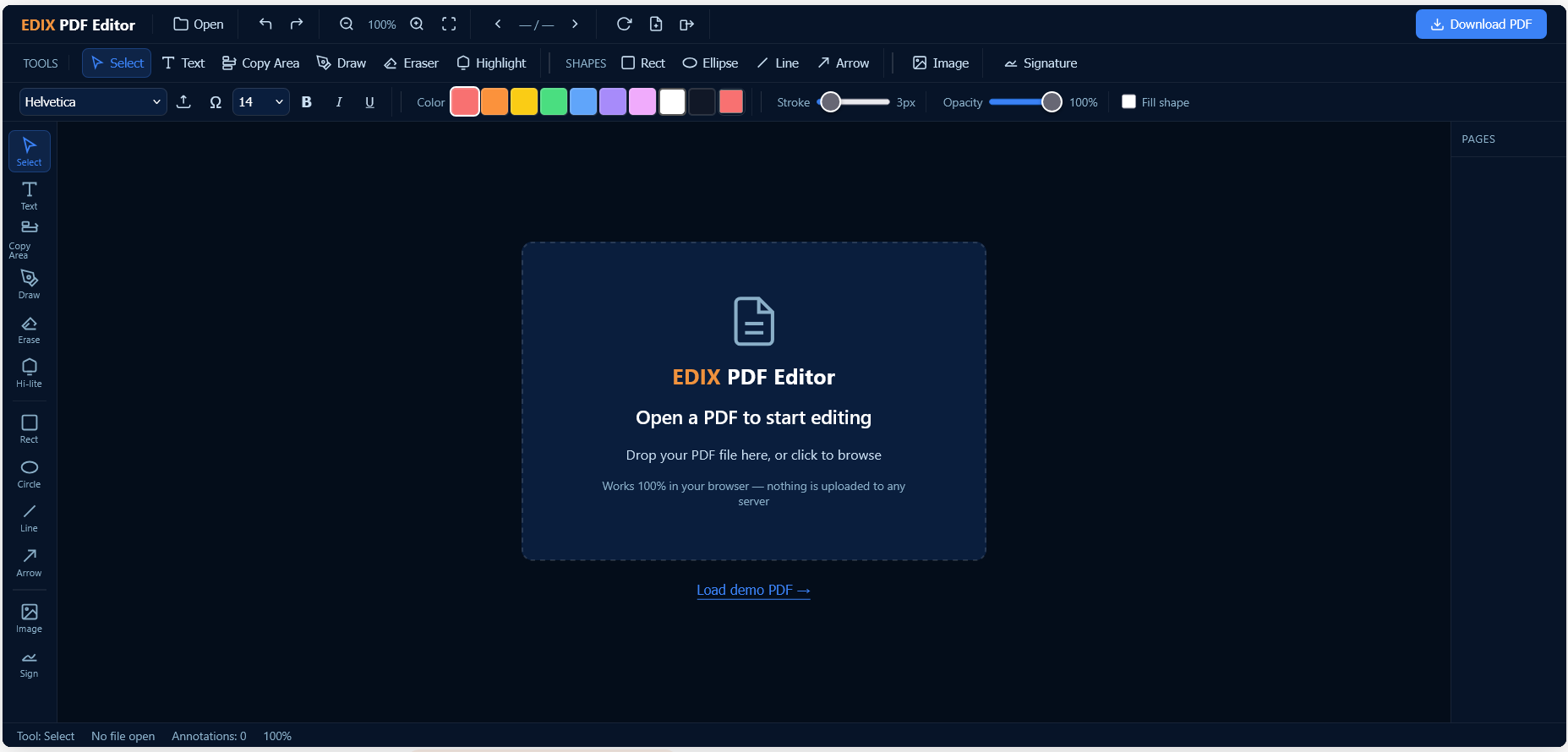
- Open your file. Click “Open PDF” and choose the file from your device — nothing is sent anywhere yet.
- Pick a tool. Choose Text, Draw, Highlight, Shapes, Image, or Signature from the toolbar.
- Click on the page. Place your text box, shape, or signature exactly where you need it.
- Style it. Adjust font, size, color, weight, or opacity — changes update live on the page.
- Add more, or move on. Repeat across as many pages as you like; everything stays editable until you export.
- Export. Click Export to bake your edits into a clean PDF and download it — no watermark, no signup, no waiting on a server.
EDIX PDF Editor vs. Typical “Free” PDF Editors
Here’s the side-by-side that actually matters when you just want to edit PDF online free, no signup, without a catch buried in the fine print:
| Feature | EDIX PDF Editor | Most “Free” Tools |
|---|---|---|
| Signup or account required | No | Usually, after 1 export |
| Watermark on export | No | Often, on the free tier |
| File uploaded to a server | No — runs in your browser | Usually yes |
| Custom font upload | Yes (.ttf/.otf/.woff/.woff2) | Rare |
| Legacy fonts (FM, Kruti Dev, Bamini) | Yes, with a Symbol Picker | Almost never |
| Cost | Free | Free tier, limited |
Who Actually Uses a No-Signup Online PDF Editor
Once people find a way to edit PDF online free, no signup, they rarely go back to installing anything. A few examples:
- Students and job seekers filling out application forms or annotating readings between classes.
- Freelancers and small businesses editing invoices, adding a signature to a contract, or covering up sensitive fields before sharing a file.
- Anyone typing in Sinhala, Tamil, or Hindi using a font their office has always used — no need to convert the document to real Unicode first.
- Teachers and admins who need to mark up a document once and move on, not learn a whole new app.
Edit PDF Online Free, No Signup, No Watermark
Open your PDF and start editing in your browser in under a minute.
Open EDIX PDF Editor →Frequently Asked Questions
Is it really free to edit PDF online without signing up?
Yes — you can edit PDF online free, no signup, every time. There’s no account creation, no trial period, and no watermark added to your exported file. You open a PDF, edit it, and download it — that’s the entire flow.
Is my PDF file uploaded to a server?
No. EDIX PDF Editor processes your file locally, inside your browser tab. That matters if your document contains signatures, ID numbers, or anything else you’d rather not send anywhere.
Can I use my own font when editing a PDF?
Yes — upload a .ttf, .otf, .woff, or .woff2 file and it becomes available in the font list immediately, including legacy single-byte fonts like FM Abhaya or Kruti Dev.
Does the exported PDF include a watermark or logo?
No. What you see on the page is exactly what gets exported — no branding is added to your document.
Do I need to install any software or browser extension?
No installation of any kind. EDIX PDF Editor runs entirely as a web page — open it in any modern browser on desktop, tablet, or phone and it works the same way each time.
If you’ve been putting off a quick PDF edit because every tool you’ve tried wants an account first, this is the shortcut: open the file, make the change, download it. No signup, no watermark, no catch — edit your PDF online free right now.
Related: Convert PDF to Word Online · Fill PDF Forms Online