How to Remove a PDF Password Online with EDIX PDF Unlocker
Password-protected PDFs are everywhere — bank statements, salary slips, exam results, government forms, and contracts almost always arrive locked. That’s fine the first time you open them, but it becomes a real headache the moment you need to attach that file somewhere that can’t handle a password prompt, merge it with other documents, or simply share it with a colleague without reading the password out loud over the phone. If you’ve been searching for a way to remove a PDF password online without installing anything, EDIX PDF Unlocker does exactly that: it removes a known password from a PDF in seconds, directly inside your web browser, so the file behaves like any normal, unrestricted document from then on.
Unlike most “PDF unlocker” tools you’ll find online, EDIX doesn’t ask you to upload your file to a remote server and wait in a queue. Everything — reading the file, verifying the password, and rebuilding an unlocked copy — happens locally on your device. Your salary slip or contract never leaves your computer, which matters a great deal when the document in question is genuinely sensitive.
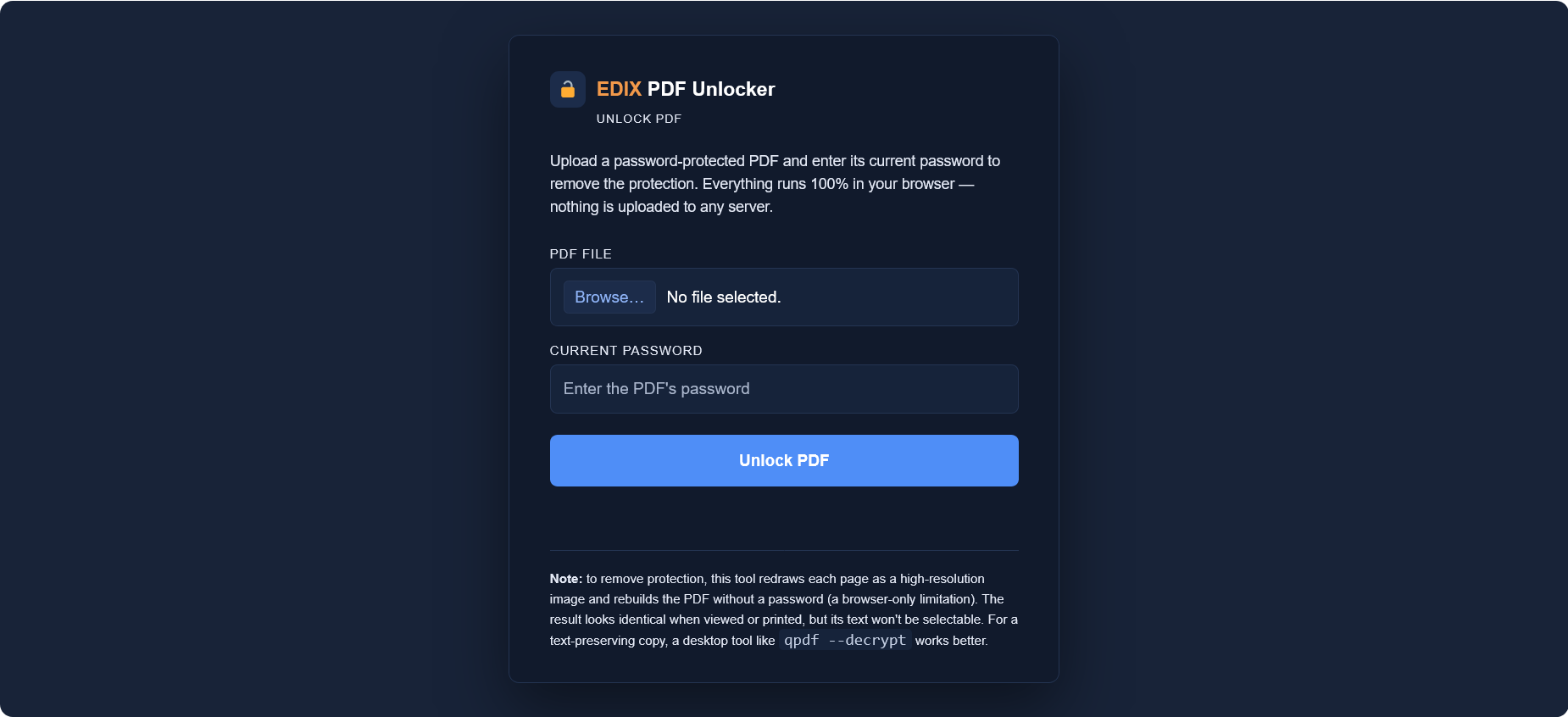
EDIX PDF Unlocker — remove a PDF password online in your browser, no upload required.
What Does “PDF Password Protection” Actually Mean?
When people say a PDF is “locked,” they usually mean one of two things. A user password (open password) is required just to view the file at all — without it, the PDF won’t open in any reader. An owner password (permissions password), on the other hand, lets the file open freely but restricts actions like printing, copying text, or editing. Both are implemented using encryption standards defined in the PDF file format specification, originally created by Adobe and later standardized as ISO 32000.
Modern PDFs typically use AES-128 or AES-256 encryption, the same class of encryption used to protect banking data. This is precisely why “cracking” a PDF password you don’t know isn’t something a browser tool — or any tool — can realistically do in a reasonable amount of time. EDIX PDF Unlocker isn’t a password-cracking tool; it’s a password-removal tool. You provide the password you already have, and EDIX uses it to open the file and produce a fresh copy with the protection stripped out.
Remove Your PDF Password Online in 4 Simple Steps
Here’s exactly how to remove a PDF password online using EDIX — the whole process takes under a minute for most documents, and there’s nothing to install.
- Upload your PDF. Click the file field and choose the password-protected PDF from your device, or drag and drop it directly into the tool.
- Enter the current password. Type in the password exactly as it was given to you — this is what allows EDIX to open and read the file.
- Click “Unlock PDF.” The tool opens the document in your browser, processes each page, and rebuilds the file without the password layer. A progress bar shows you exactly how far along it is.
- Download your unlocked file. Once processing finishes, a download link appears immediately. The new file opens without prompting for a password, ever again.
Common Situations Where You’ll Need to Remove a PDF Password Online
Password protection on PDFs is usually added automatically, not because the sender wants to make your life difficult, but because it’s a default setting for certain kinds of documents. Recognizing these situations makes it easier to understand why a tool to remove a PDF password online is genuinely useful rather than a workaround for something suspicious.
- Bank and credit card statements — most banks password-protect monthly statements by default, often using your account number or date of birth as the password.
- Salary slips and HR documents — many payroll systems generate password-locked PDFs automatically, using an employee ID or NIC number as the key.
- Exam results and academic transcripts — universities and exam boards frequently lock result sheets to prevent casual tampering before they’re officially released.
- Government and utility forms — tax documents, utility bills, and official notices are commonly issued as protected PDFs for a layer of default privacy.
- Legal contracts and NDAs — some contract-management platforms apply a password automatically when a document is exported or downloaded.
In every one of these cases, you already have legitimate access to the password — it was given to you, generated for your account, or based on your own personal details. Removing the password afterward simply makes the file easier to work with day to day, whether that means attaching it to an email thread, combining it with other paperwork, or storing it in a shared folder without asking everyone to type in a code first.
What You Actually Get When You Remove a PDF Password Online
Once you remove a PDF password online with EDIX, you’ll have a completely new PDF file that opens instantly in any reader, on any device, with no password prompt at all. Visually, and when printed, it is identical to the original — same layout, same fonts on screen, same images, same page count.
There is one honest trade-off worth understanding: because all of this happens inside the browser without a server-side PDF engine, EDIX rebuilds each page as a high-resolution image rather than editable vector text. That means the unlocked PDF looks exactly like the original but the text inside it won’t be selectable or searchable. For the vast majority of use cases — attaching a form, forwarding a statement, archiving a document, or printing a contract — this makes no practical difference. If you specifically need a text-searchable, selectable copy, a desktop command-line tool such as qpdf --decrypt is a better fit, since it can decrypt PDFs while preserving the original text layer.
Why a Browser-Based Tool Is the Safer Choice
Most “free online PDF unlocker” websites work by uploading your file to their servers, processing it there, and giving you a download link afterward. That means your password-protected document — which is often password-protected for a reason — briefly exists on someone else’s infrastructure. You have no visibility into how long it’s stored, who can access it, or whether it’s deleted afterward.
EDIX PDF Unlocker takes the opposite approach. Using your browser’s built-in processing power (the same technology that lets services like Google Drive preview documents without downloading them first), the entire process to remove a PDF password online runs client-side. No file upload, no server queue, no third-party storage. If you switch off your Wi-Fi halfway through, the tool keeps working — because it was never talking to a server in the first place.
EDIX PDF Unlocker vs. Traditional Desktop Software
Desktop applications like Adobe Acrobat can also remove PDF passwords, and they remain the gold standard for heavy-duty PDF editing. But they require a paid subscription, a full installation, and — for many people — more features than a single one-off task actually needs. EDIX PDF Unlocker is built for the common case: you have one locked file, you know the password, and you just want it gone. No account, no subscription, no download — just a browser tab.
More Free Tools in the EDIX PDF Suite
Unlocking is often just the first step. Once your PDF is free of its password, you might want to convert it, extract images from it, or turn a scanned document into one. The full EDIX PDF Editor toolset covers the entire workflow:
Frequently Asked Questions
Do I need to know the PDF’s password to use this tool?
Yes. EDIX PDF Unlocker helps you remove a PDF password online only when you already have that password — it does not recover or crack unknown passwords. If you’ve genuinely forgotten a password, check the original source of the file (the sender, issuing organization, or account it came from) to recover it.
Is my file uploaded anywhere?
No. All processing happens locally in your browser. Your PDF and its password are never sent to any server.
Will the unlocked PDF still have selectable text?
No — because processing happens entirely in the browser, each page is rebuilt as a high-resolution image. The document looks and prints identically, but the text isn’t selectable or searchable.
Does it work on mobile devices?
Yes. Since it’s a browser-based tool, it works on any modern phone, tablet, or desktop browser without an app install.
Is there a file size or page limit?
The tool can handle typical documents (statements, forms, contracts) comfortably. Very large scanned PDFs with hundreds of high-resolution pages may take longer, since everything is processed on your own device.
Ready to remove a PDF password online?
No installs, no uploads, no waiting — just your password and a few seconds.
Unlock a PDF now